,fit(cover),quality(100)/https%3A%2F%2Ftrackercdn.com%2Fghost%2Fimages%2F2023%2F5%2F111856_fall-guys-creative-mode.jpg/image.jpg)
Fall Guys, the popular multiplayer game that pits up to 60 players against each other in a series of wacky and whimsical challenges, has just received a major update that adds a creative mode for the first time.
The new mode, called Fall Guys Creative, allows players to design their own levels using a simple and intuitive editor, and share them with the rest of the community. Here is everything you need to know about Fall Guys Creative, and how to get started with making and playing custom levels.
What is Fall Guys Creative?

Fall Guys Creative is a level editor that allows you to create custom Rounds and share them with your friends and the wider community to play.
The mode is accessible from the main menu, and it offers a comprehensive and full-featured level editor that lets you sculpt the terrain, place obstacles and hazards, adjust the physics and lighting, and test your creations in real time. You can also customize the rules and settings of your levels, such as the number of players, the time limit, the win condition, and more.
Fall Guys Creative also lets you play other players’ levels in a dedicated mode called Community Showdowns. In this mode, you can browse and join custom levels created by other players around the world, and rate them after playing.
The most popular and well-made levels will be featured in the main Fall Guys show selector, where they will be mixed with the official levels. You can also share your levels with your friends using a unique code, or invite them to join your private lobby.
How to make your own levels in Fall Guys Creative?
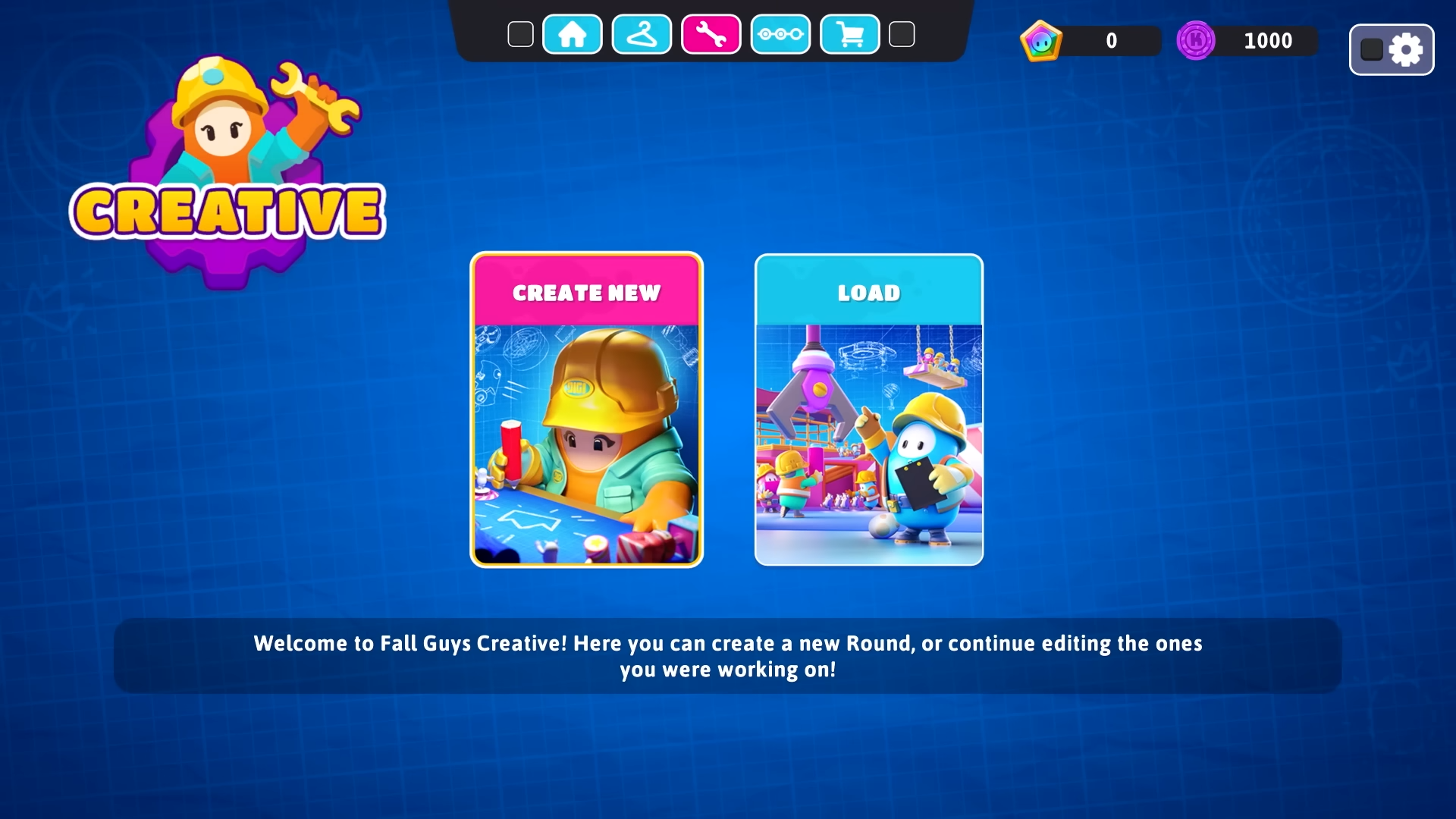
To make your own levels in Fall Guys Creative, you need to follow these steps:
- From the main menu, select Fall Guys Creative.
- Select Create New Level.
- Choose a template for your level. There are four templates available: Race, Survival, Team Game, and Final Round. Each template has a different layout and objective.
- Start editing your level.
- To save your level, press Options and select Save Level. You can then choose a name for your level file.
- To publish your level online so other players can play it, press Options and select Publish Level. You will then receive a unique code for your level that you can share with others.
How to play other players’ levels in Fall Guys Creative?
To play other players’ levels in Fall Guys Creative, you need to follow these steps:
- From the main menu, select Fall Guys Creative.
- Select Community Showdowns.
- Choose a category of levels that you want to play: Featured Levels (the most popular and well-made levels), New Levels (the latest levels created by other players), or My Levels (the levels that you have created or played).
- Browse through the list of levels and select one that you want to play.
- Join the lobby for that level and wait for other players to join or for the countdown to start.
,fit(cover),quality(80)/https%3A%2F%2Fcms.tracker.gg%2Fcontent%2Fimages%2F2026%2F06%2Fe83685974edceceef3fd8e0413dac95762816804-1920x1080.jpg/image.jpg)
,fit(cover),quality(80)/https%3A%2F%2Fcms.tracker.gg%2Fcontent%2Fimages%2F2026%2F06%2FHKBQQI6WQAAMa0a.jpg/image.jpg)
,fit(cover),quality(80)/https%3A%2F%2Fcms.tracker.gg%2Fcontent%2Fimages%2F2026%2F06%2Fpremium-frame-spirited_1200x675_comp.png/image.jpg)
,fit(cover),quality(80)/https%3A%2F%2Fcms.tracker.gg%2Fcontent%2Fimages%2F2026%2F05%2FFortnite-Power-Rankings.jpeg/image.jpg)
,fit(cover),quality(80)/https%3A%2F%2Fcms.tracker.gg%2Fcontent%2Fimages%2F2026%2F05%2FHI9JtYgagAAICE1.jpg/image.jpg)